Buying tickets
Find the event
Open the event from the start page or the organizer’s link, and pick the Tickets tab. If the tab is not there, the organizer does not sell tickets through Vote4Dance for that event.
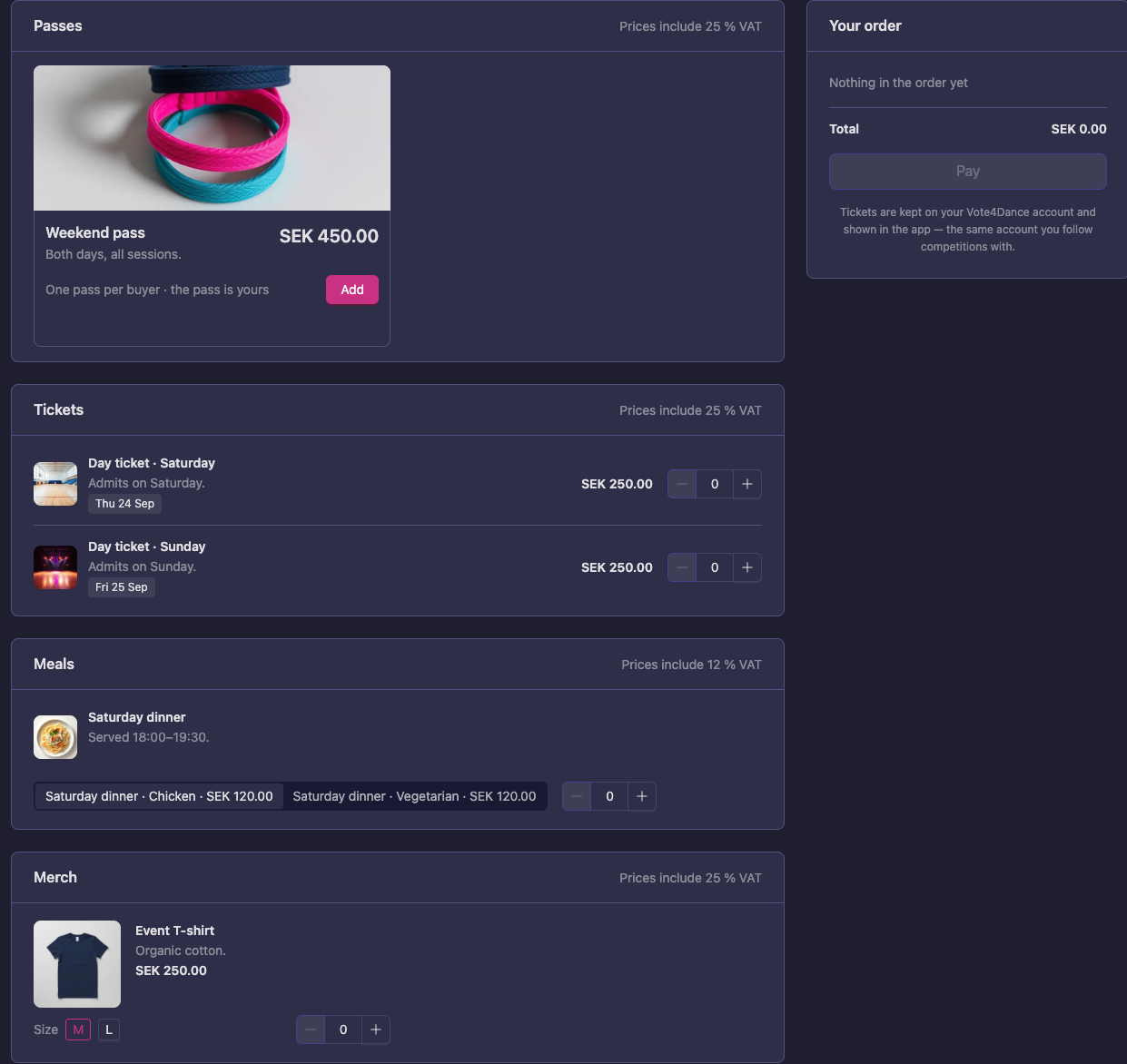
What is on sale is grouped as passes, day tickets, meals, tables and merch. Each line shows the price including VAT, how many are left when the organizer set a limit, and until when it is on sale. Sizes and variants — a T-shirt size, a vegetarian meal — sit together under one heading.
Choose and pay
Add what you want; the order sums up as you go.
- Log in (or create a free account) — the tickets are kept on the account, so this is how you get them back on any device.
- Check the e-mail address the tickets and receipt should go to. It is suggested from your account and you can change it.
- Pay by card. The payment goes to the organizer, not to Vote4Dance; the seller’s name is on the order and on the receipt.
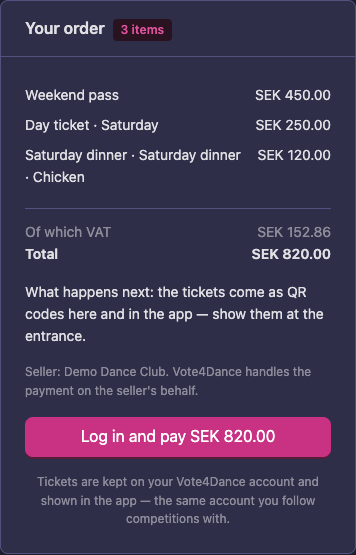
Your order is held for 30 minutes while you pay. If you close the page mid-payment, the order waits on the Tickets page and updates itself as soon as the payment goes through.
Your tickets
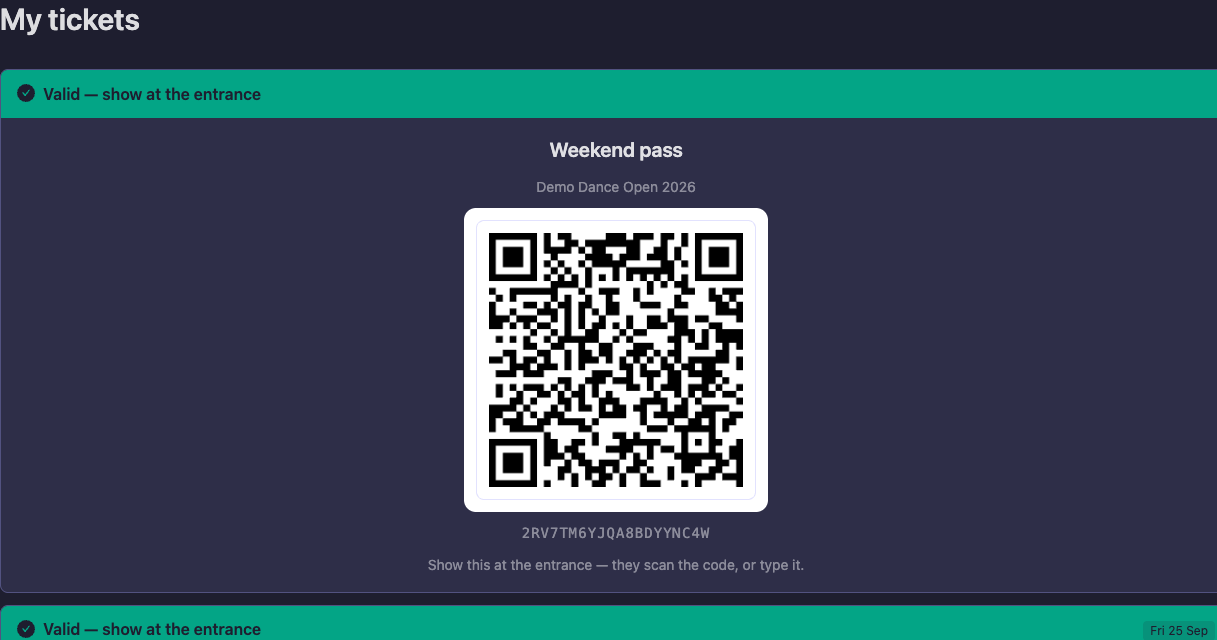
Once paid, each ticket becomes its own QR code, in three places:
- the event’s Tickets page, under Your tickets
- the app, under Profile → My tickets
- the e-mail you got when you paid
At the entrance, show the QR. One ticket admits one person, once per day it is valid for. Staff scan it, or type the code under it.
You can pass a ticket on. Whoever holds the code can use it, so a ticket for a friend without an account is simply forwarded to them.
Meals, tables and merch
The same codes are used for anything else you bought. Show the code at the counter and the staff hand it over; the ticket is then marked as used so it cannot be used twice.
Day tickets
At an event that runs over more than one day, a day ticket admits on the day it says and no other. The ticket carries its day, and the desk is told when a ticket is for another day.
Refunds and questions
Refunds, changes and questions about an order go to the organizer — they sold you the ticket, and their contact details are on the order. Vote4Dance handles the payment on their behalf and does not refund on their behalf.
Do dancers need a ticket?
Usually not: a dancer’s registration admits them, and they show their Vote4Dance ID instead. Some organizers ask dancers for a ticket on the days they do not dance — the Tickets page of the event says so when they do.