Customizing diplomas
The diploma print page lets you produce a personalized diploma for every competitor — start number, name, organization, placement and category — and style it to match your event. You reach it from the Manager print routes (Print → Diplomas for a class and round).
This page explains how to design your own diploma paper, the print options and, for advanced users, how to fine-tune the layout with custom CSS.
Designing your own diploma paper
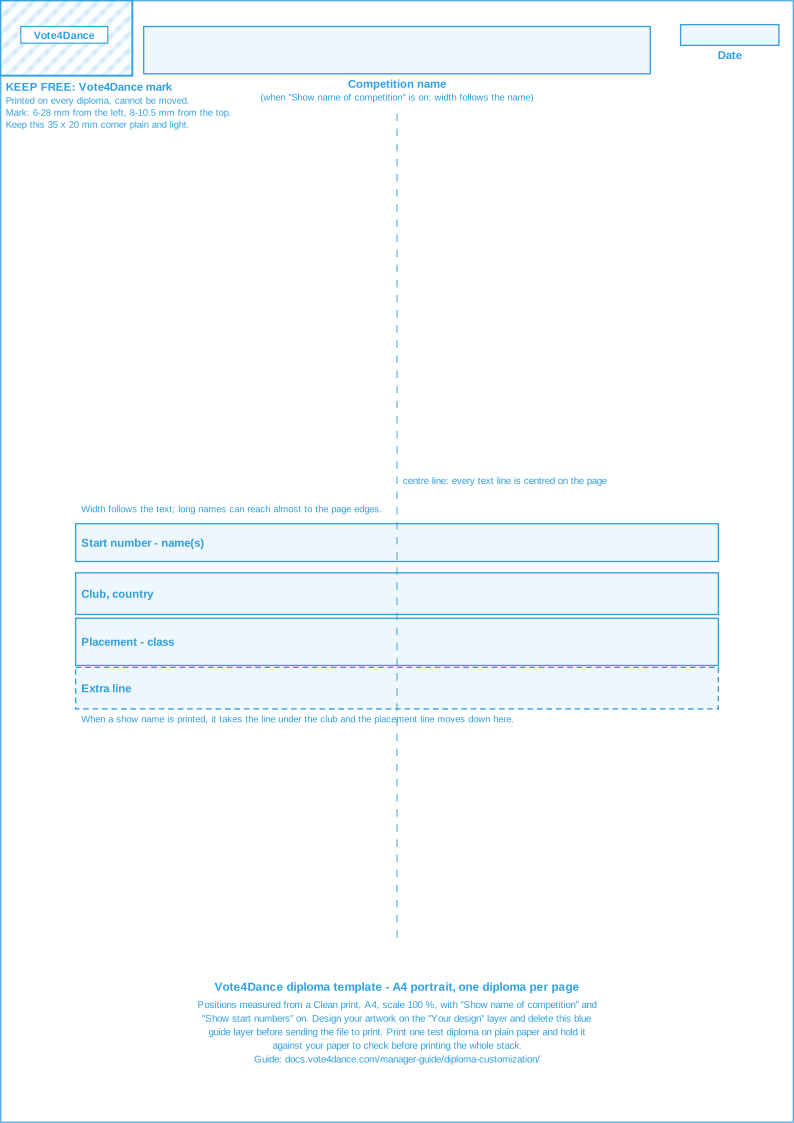
Many organizers have diplomas pre-printed with their own artwork — a logo, a border, sponsors, a signature — and let Vote4Dance print each competitor’s details on top. To help your designer leave room in the right places, you can download a template that shows exactly where Vote4Dance prints each line, and a sample printout to test on your printer.
Downloads
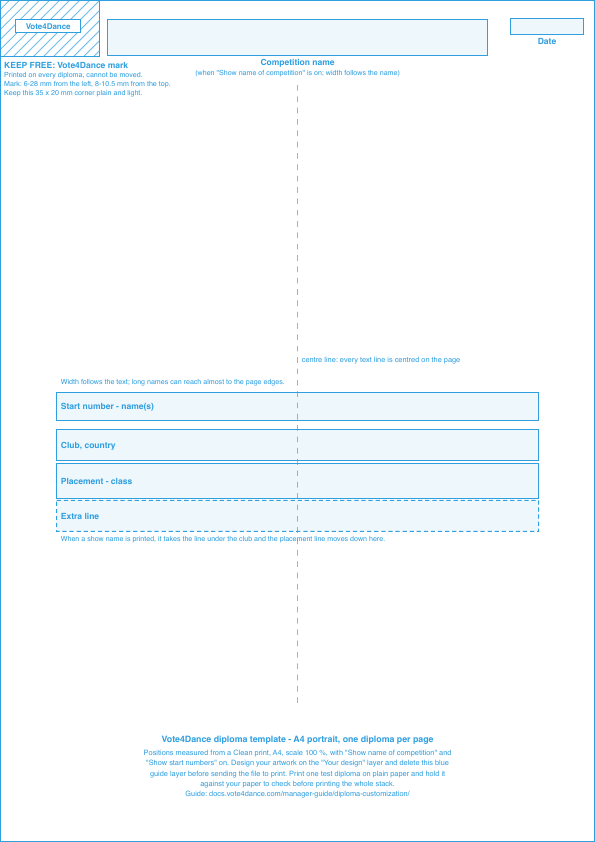
- Diploma template, A4 (PDF) and the same template as SVG for design programs such as Illustrator, Affinity Designer or Inkscape. The blue guides sit on their own layer: design on the layer underneath, then delete the guides before you send the file to the print shop.
- Sample diplomas, Clean print, A4 (PDF) — three diplomas exactly as Vote4Dance prints them, with made-up names.
What to tell your designer
- The paper is A4, portrait. Vote4Dance prints one diploma per page.
- Keep the top-left corner free: about 35 mm across and 20 mm down. Vote4Dance prints its small Vote4Dance mark there on every diploma, from 6 to 28 mm from the left edge and 8 to 10.5 mm from the top. It cannot be moved, so keep that corner plain and light.
- Along the top edge, the competition name is printed in the middle (about 9 to 18 mm from the top) and the date at the right (about 8 to 10.5 mm from the top).
- Leave the middle of the page free for the competitor’s details. Each line is centred across the page, from top to bottom:
- start number and name(s), about 140 to 148 mm from the top
- club and country, about 153 to 161 mm
- placement and class, such as “1st place - Youth Latin”, about 165 to 174 mm
When a competitor has a show name, it gets its own line under the club, and the placement line moves down about 12 mm. Long names make a line wider, so keep the area plain from side to side, not only in the middle.
- Use light colours or soft artwork behind these lines so the black text stays easy to read.
The positions are measured from a Clean print on A4 with Show name of competition and Show start numbers on. If you switch either off, the lines may sit a little differently, so make your test print with the options you will use on the day.
Before the event: make a test print
- Print the sample diplomas on plain paper on the printer you will use at the venue, at 100 % scale (not “Fit to page”).
- Hold the test print against one of your pre-printed diplomas, up to the light, and check that every line lands where your design leaves room.
- When you print the real diplomas, choose Clean on the diploma page, paper size A4 and scale 100 % in the print dialog.
If a line needs to move a few millimetres, it can be fine-tuned on the diploma page after a test print (see Custom CSS below, or ask the person who sets up your event to help).
Print options
At the top of the diploma page is a settings panel (it is never printed).
- Styled / Clean — Styled prints the decorative background and the large “Diploma” title; Clean prints only the text on a white page, ideal when you feed pre-printed diploma paper into the printer.
- Show name of competition — show or hide the competition name and date in the header.
- Show start numbers — include the start number before each competitor name.
- Print — opens your browser’s print dialog.
Your selections are remembered in your browser, so they are still there the next time you open the page.
The Vote4Dance mark is fixed in the top-left corner of every page and cannot be moved or hidden. Everything else is yours to style.
Custom CSS
The CSS box on the diploma page applies your own styling to the printed diplomas. Changes preview live on screen and are carried into the print output. The CSS only affects the diplomas — never the settings panel — and you do not need to add any wrapper or @media print rule; just write the selectors.
Use real print units — cm, mm, pt (and px if you prefer).
CSS classes
Each part of a diploma has a class you can target:
| Class | What it targets |
|---|---|
.diploma-body | The whole diploma card |
.diploma-header | Competition name + date (the brand stays fixed) |
.diploma-title | The large “Diploma” title (styled mode) |
.diploma-name | Start number + competitor name |
.diploma-org | Organization + country |
.diploma-showname | Show / performance name |
.diploma-place | Placement + category |
Examples
Move the competitor name up 1 cm (without moving the header):
.diploma-name {
  transform: translateY(-1cm);
}
Make all diploma text larger or smaller:
.diploma-body {
  font-size: 1.2em;
}
Change the placement color and weight:
.diploma-place {
  color: #821c99;
  font-weight: 700;
}
Use a different font (loaded from Google Fonts):
@import url('https://fonts.googleapis.com/css2?family=Shadows+Into+Light&display=swap');

.diploma-body {
  font-family: 'Shadows Into Light';
}
Uppercase the competitor name:
.diploma-name {
  text-transform: uppercase;
}
Hide a field (for example the organization line):
.diploma-org {
  display: none;
}
Add space below the name:
.diploma-name {
  margin-bottom: 1rem;
}
Printing tips
- Use your browser’s print preview (Ctrl/Cmd + P) to check the result before printing.
- Diplomas print in portrait; one competitor per page.
- For the styled background to print, enable “Background graphics” in the browser print dialog.
- Inkjet printers usually handle heavier diploma paper better than laser printers.
See also: Post-event and exports for the full list of print outputs.