Scrutineer
You are a scrutineer if you are responsible for the integrity of the judging and the results: the chief scrutineer at an event, the chairperson of adjudicators, or a federation observer.
Your app is Supervisor
In Swedish it is called Kontrollant. Somebody has to tick Supervisor for you under Manager → Event → Users — see Users, apps and stations.
What it gives you, and what it deliberately does not:
| Supervisor can | Supervisor cannot |
|---|---|
| See the results of rounds that are not yet published — which is the whole point: you review before the audience sees anything | Change the setup. Classes, rounds, judges and panels are the organizer’s, in Manager |
| See each judge’s marks per round, and each participant’s Offset from Average as a chart, so a judge who is out of line with the panel is visible at a glance | Enter or alter a judge’s marks |
| Switch to a By component view where the round is judged on components, show all participants, and show the name column | |
| Show trainee scores, which are entered but do not affect the result | |
| Follow judging live: Judging in progress, Judges are done per heat | |
| Filter to one floor, follow the schedule, and push things to the screens with Show on screen | |
| See every warning the judges give during the whole event in one list, Warnings, and keep track of which ones you have dealt with |
Supervisor cannot publish results. Publishing is done from the Speaker console or from Manager. If you are the one who publishes, you also need Speaker or Manager ticked. Agree before the event who presses it, and what you want to have checked first.
Warnings from the judges
During the competition a judge can give a dancer or couple a warning, for example for clothing, a lift or the music. Warnings in the Supervisor app lists all of them, from every round and every day of the event, so you can follow up with the team leaders without opening round after round. The list updates by itself as the judges send new warnings.
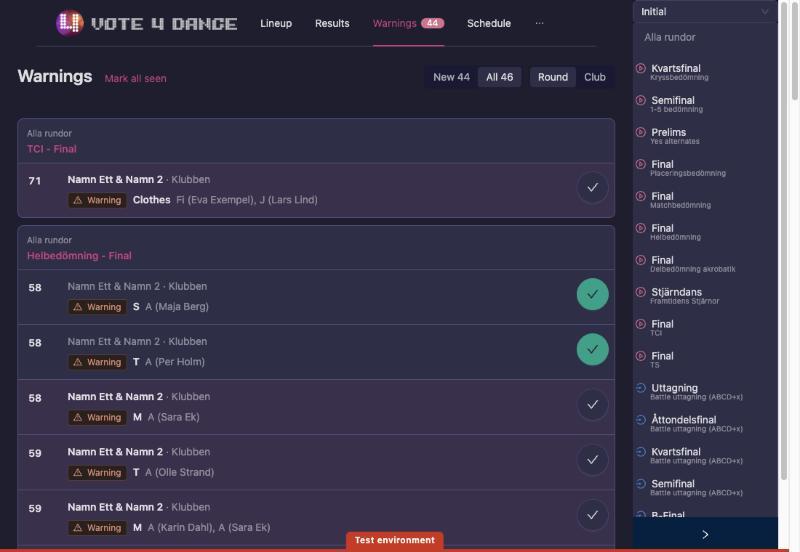
- Open Warnings in the Supervisor menu. The number next to it is how many warnings you have not seen yet.
- Each row shows the start number, the dancer or couple and their club, the warning and its reason, and which judges gave it. When several judges give the same warning, it shows once with all their names.
- Choose how to read the list:
- New shows only the warnings you have not seen yet; All shows every warning.
- Round groups the warnings by round, newest first, under the day and the block of the schedule. The round’s name opens its results.
- Club groups them by club, with the clubs that have new warnings first, which is handy when you go and find a team leader.
- At an event over several days, pick a day. While the event is running, today is chosen for you.
- When you have dealt with a warning, press the round tick on its row. The row turns grey and the tick green. Press it again to mark the warning as new again.
- Mark all seen marks every warning in the list as seen. Press Undo if you did not mean to.
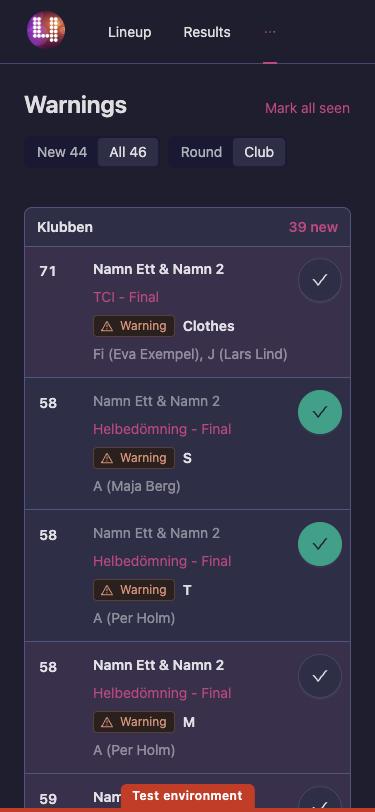
A disqualification stands out from a warning: it has a filled label with a stop sign.
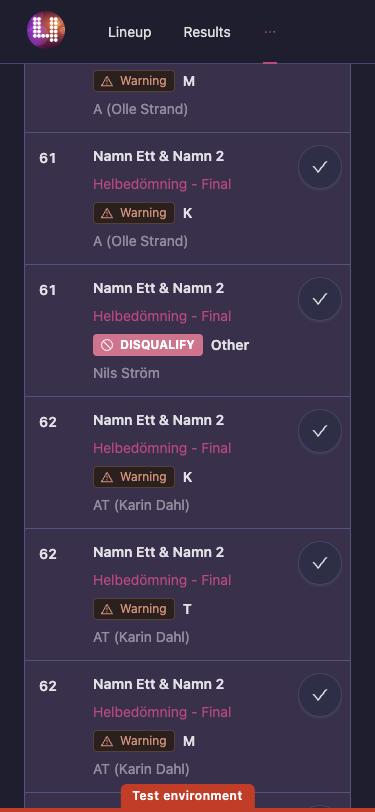
What you have seen is remembered on your phone or computer only. Another scrutineer, or you on another device, starts with all warnings as new.
Judge types, which is your vocabulary
Every judge on a panel has a type, and the type decides what their marks do:
| Type | What it means |
|---|---|
| Judge | Scores participants in assigned classes; counts toward placements. |
| Chief judge (in) | Included in skating/placement: counts in the ranking math, and can be used to break ties. |
| Chief judge (out) | Excluded from skating/placement: does not affect the ranking math, but can still be used to break ties. |
| Trainee judge | A practice role. Enters scores that do not affect results. |
| Audience | Scores from public audience voting; counts toward final placements. |
| Not judging | No judging duties assigned. |
If a panel looks wrong in the results, check the types before you doubt the arithmetic.
What to watch on the day
Manager warns the desk at two moments that concern you directly:
- Closing a round — “Warning! All judges have not submitted their results!!”
- Confirming a round — “Warning! You have conflicting placements!!”, and, if no advancement has been set, “No targets have been set from the round result.”
And Problems in Manager runs the structural checks continuously: start-number conflicts, license conflicts, rounds without judges, group classes with no judges, participants scheduled in two overlapping rounds at once, finals with participants marked through, leader/follower classes without exactly one partner class, and the federation-specific rules (DSF, WDSF). Clear it before the doors open.
Scrutineer steps
- Account creation
- Getting a license
- Applying for a school/club
- Federation status through school/club
- Event assignment
- Creating and getting rankings
- Age transfer impacts
- Class transfer impacts
- Renew license
- Retiring from active duty
Dedicated feature sections
- Users, apps and stations — how you get Supervisor access
- Live operations — the event-day runbook you are overseeing
- Manager Guide — the operational event workflow
- Special formats — when the format changes the normal flow
- Manual Workflows — only for federation-approved exceptions to a published outcome
Not sure if you’re a scrutineer? Start with Finding Your Role.